A University of Bristol study, reported by Phys, found that large language models can check research ethics applications against published standards in minutes. The lesson reaches well beyond universities. AI is at its most useful when it handles the routine checking, and you keep the decisions. Here's how to apply that to your own paperwork.
What the study found
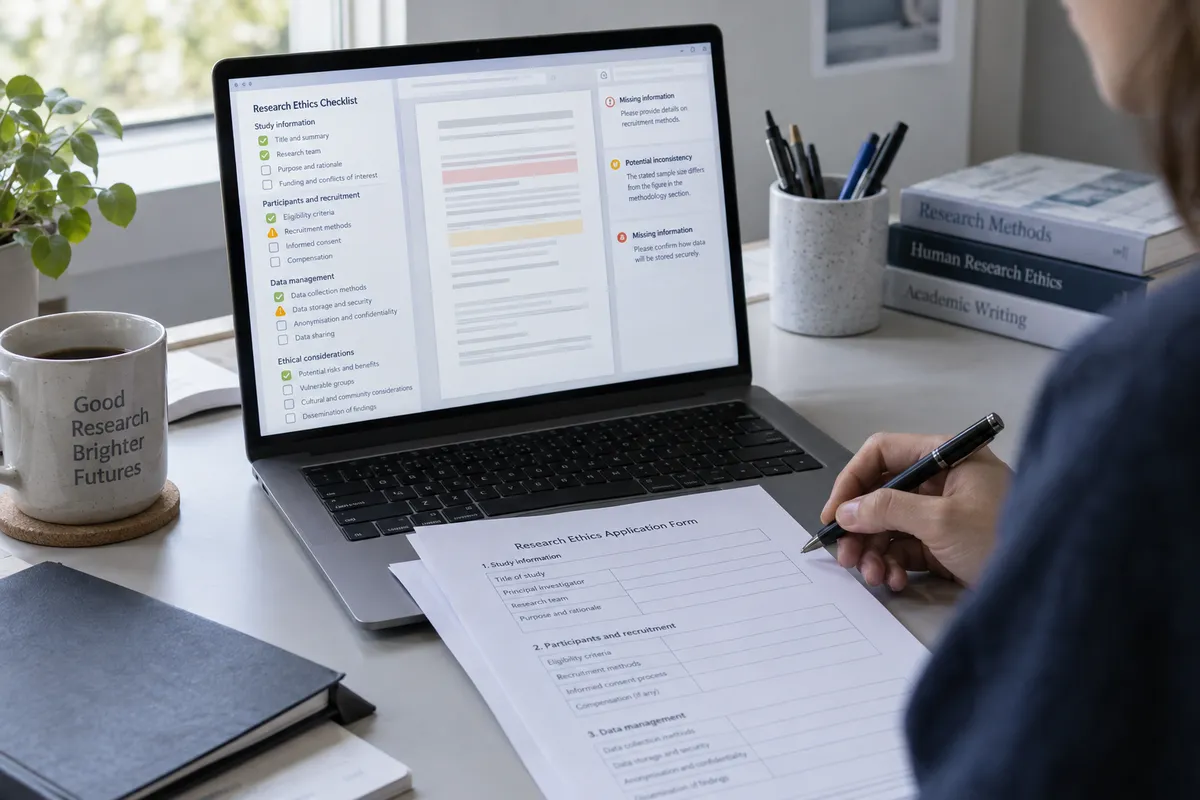
Per Phys, the Bristol researchers tested whether large language models could review research ethics applications against published standards. Claude outperformed ChatGPT-4o and Microsoft Copilot on accuracy, speed, and error detection.
The core argument, as reported: AI can streamline routine compliance checks, but human judgment remains essential for the ethical decisions themselves. Research approvals are often slowed by administrative review, and the idea is to free people to focus on the ethical thinking.
The summary I have doesn't include detailed scores or the exact test setup, so treat the model ranking as one study's result, not a permanent verdict. Models change often, and I'm not citing specific versions because the report summary doesn't name them.
The pattern: AI as assistant, not decision-maker
The study points to a useful split.
Good jobs for AI (structured, document-based checking):
- Does this form include every required section?
- Does it match the written standard or checklist?
- Are there inconsistencies or errors?
Jobs that stay with you:
- Weighing risks and benefits
- Judging whether something is right
- Signing off
The best use of AI may be boring admin, not big decisions. That's a good rule for any sensitive area where a mistake matters.
How to run your own AI paperwork check
This works for grant applications, school forms, workplace policies, or any document that has to meet a written standard. You can do it in a browser or an app on your phone or computer. Check which model and version your account is using, since that varies by plan and changes over time.
Step 1: Gather your standard
Find the official guidelines, checklist, or requirements. The study's approach was checking against published standards, so the AI needs a clear yardstick. Without one, it will guess what "good" means.
Step 2: Check your privacy first
Before pasting anything in, ask whether the document contains personal, confidential, or unpublished information. If it does, check your organization's rules and the tool's data settings first. Remove names and sensitive details where you can.
Step 3: Give a narrow, specific instruction
Try something like:
"Here is a checklist of requirements and my draft. List each requirement, say whether the draft meets it, and quote the part of my draft that supports your answer. Flag anything missing or inconsistent. Do not rewrite the draft."
Asking for quoted evidence makes it easier to verify each claim. Telling it not to rewrite keeps the content yours.
Step 4: Verify every flag yourself
Treat the output as a list of things to look at, not as truth. Open the document, find each flagged spot, and confirm it. AI can miss problems and can also invent them.
Step 5: Make the call yourself
Fix what needs fixing and decide what to do about judgment calls. If the stakes are real, a human reviewer still signs off.
Why the model you pick matters
The Bristol result is a reminder that AI tools are not interchangeable. Claude beat ChatGPT-4o and Microsoft Copilot on accuracy, speed, and error detection in this study. If you're checking important documents, try the same document and checklist in two tools and compare what each catches. A few minutes of testing shows you which one suits your kind of paperwork.
Also note that Copilot here is Microsoft's product. This site is independent and has no affiliation with Microsoft or any of these companies.
Where this helps most
Because delays in approvals are often administrative, the biggest gain is fewer back-and-forth rounds over missing or inconsistent information. A pre-check catches the obvious problems before a person ever sees the form. That saves reviewers time and gets you a quicker answer.
Know the limits
- A clean AI check isn't approval. It only means the draft matched the standard as the AI read it.
- Garbage in, garbage out. An outdated or incomplete checklist gives unreliable results.
- Accountability stays with you. If the AI misses something, "the chatbot said it was fine" won't help.
The takeaway
Next time you face a pile of forms, paste in the standard and your draft, ask for a requirement-by-requirement check, then verify each flag and make the final call yourself.